

A Xiaomi scooter can ride fine, then it suddenly beeps, flashes a wrench, or crawls at 6 km/h. So people search for “Xiaomi scooter error codes”, “Mi scooter beeping”, “flashing wrench icon”, “Error 18”, “Error 21”, “Error 27”, or “Error 35” right after it happens.
This guide links what you see and hear to the most searched codes, then it walks through safe checks you can do at home. Then it covers TF-100 display codes too, since those show up on many non-Xiaomi controller kits.
First, do the quick safety reset
Turn the scooter off. Then step off the deck. Then unplug the charger.
A scooter in fault mode can cut power or limit braking feel. So treat it like a vehicle with a warning light, not like a normal ride.
How Xiaomi beep codes work
Some Xiaomi models show a numeric code on the dashboard. Others use a buzzer pattern that you convert into a number.
Xiaomi’s support FAQ describes the conversion like this: one long beep equals 10, and one short beep equals 1. Then you add them to get the alarm code.
Here is a simple example:
- 2 long beeps + 1 short beep
- 10 + 10 + 1 = 21
So that pattern maps to alarm code 21.
Flashing patterns that point to a fault
Sometimes the “pattern” is not the code itself. Still, it points you to the right screen.
- Blinking red wrench icon: Xiaomi says this indicates the scooter has an issue, and the speedometer may show an error code.
- Buzzer cycle: Xiaomi says that, during an error, the buzzer can sound in a 3-second cycle and ring 5 times per cycle on at least one model family.
- Thermometer icon: Xiaomi says the thermometer icon lights up when battery temperature is too high or too low, and charging can stop until temperature returns to the normal range.
- Stoplight “breathing” flash during charging: Xiaomi says the stoplight flashes in a “breathing” state when charging successfully on at least one FAQ set.
- Four power lamps stuck on: Xiaomi ties this to alarm code 10 and abnormal Bluetooth communication.
Quick hub for the codes you listed
| Code | Xiaomi’s description | What you usually notice | First move |
|---|---|---|---|
| 18 | Hall exception | Throttle has no motor output | Stop riding, then check motor cable and connectors. |
| 21 | Battery telecommunications wrong | Speed limit 6 km/h and alarms | Stop riding, then check battery to controller communication path. |
| 27 | Master control password is wrong | Speed limit 6 km/h and alarms | Check lock state in the app, then reset pairing or clear the password. |
| 35 | Default serial number not changed | Alarms, pairing oddities, restricted behavior | Treat as identity mismatch, then plan for service if it stays. |
Xiaomi publishes short, direct definitions for these alarm codes.
If you also ride a Ninebot model and you want the same style of hub, here is my matching guide: Segway Ninebot error codes hub.
Error 18 on Xiaomi scooters: Hall exception
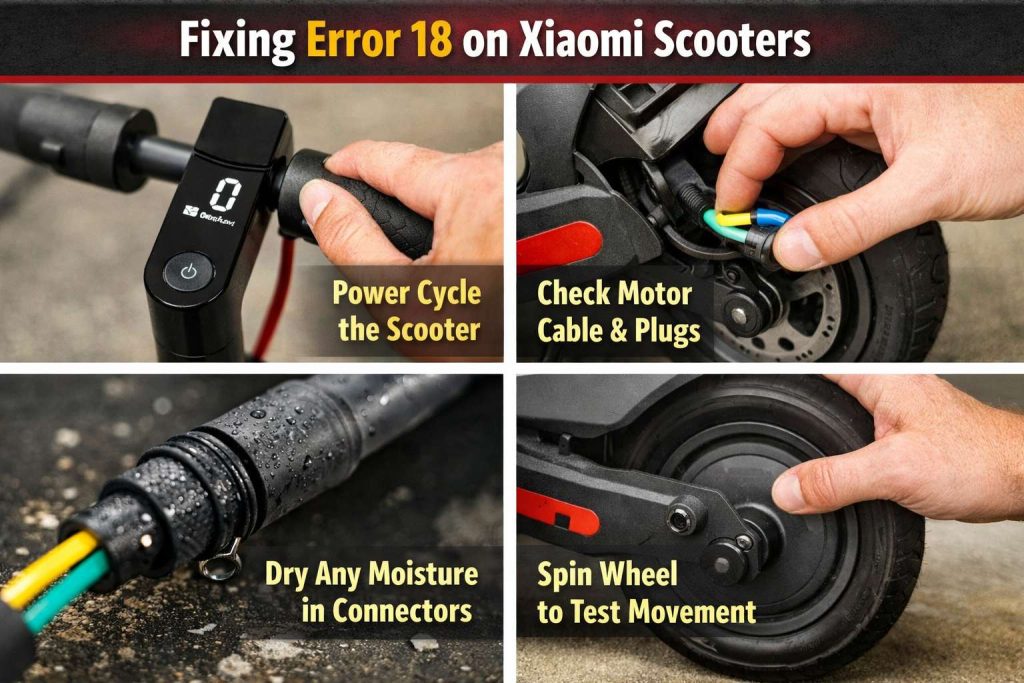
Xiaomi says alarm code 18 indicates an exception in Hall, and Xiaomi points owners to after-sales service.
So what does that mean in normal words. A Hall sensor reads motor position, and the controller uses that signal to time power delivery. Then, if the signal looks wrong, the controller may block motor output.
Safe checks you can do at home
Start with checks that do not involve opening the motor.
- Power cycle the scooter, then test again.
- Inspect the motor cable from the wheel to the deck or stem area. Then look for pinches, cuts, or a half-seated plug.
- Check for moisture around connectors. Then dry fully and wait a bit before you retry.
- Spin the wheel by hand with the scooter powered off. Then confirm it turns smoothly and does not grind.
When it is usually a repair job
A true Hall sensor fault often sits inside the motor hub, or inside the motor harness. So a lasting Error 18 often needs a motor repair or replacement, which matches Xiaomi’s service guidance for this code.
Error 21 on Xiaomi scooters: battery telecommunications wrong
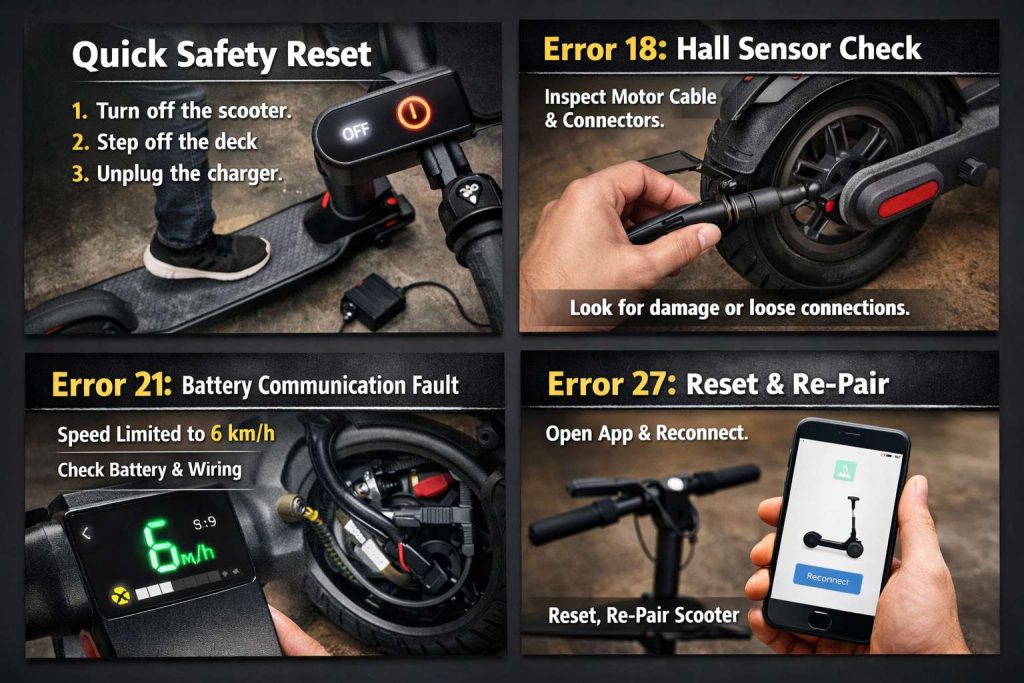
Xiaomi says battery telecommunications is wrong, and Xiaomi recommends after-sales service.
This code often comes with a hard speed limit of 6 km/h. So riders search “Xiaomi error 21 6 km/h” or “Xiaomi scooter error 21 beeping”.
What the message points to
The wording suggests a communication fault between the battery system and the main control board. So the scooter limits performance, since it cannot trust the battery data.
Simple checks that catch common causes
- Look for cable strain near the deck, hinge, and controller bay. Then check that nothing looks pinched.
- Think about the last ride. A curb hit, a deck screw coming loose, or a wet ride can shake connectors. So it is worth inspecting carefully.
- Charge the scooter fully, then test again. A very low battery state can stack problems on top of each other.
When to stop and move to service
If you smell burnt plastic, or if the deck area feels unusually hot, stop and do not keep testing. Then treat it as an electrical fault that needs a proper inspection.
Error 27 on Xiaomi scooters: master control password is wrong
Xiaomi says the master control password is wrong, and Xiaomi points to after-sales service.
This one feels confusing at first. So here is the simple idea: the scooter believes the control board password state does not match what it expects, or it is stuck in a lock state.
Start with the app and pairing state
Open the Xiaomi Home app and check whether the scooter is fully paired to your account. Then remove the scooter from the account and pair it again, if pairing looks stuck.
Then reset the scooter’s connection state if your model supports it. Xiaomi describes a reset step for reconnecting on at least one model family: press the accelerator and press the power button 5 times. Then delete the scooter from the paired account before reconnecting.
Clear the password using Xiaomi’s published sequence
Xiaomi’s FAQ for some models describes a password clear routine. It instructs you to push the brake and the vehicle controller to the bottom, then shut down, then start again to clear the password.
If Error 27 persists after a clean re-pair and reset, then service makes sense, since Xiaomi frames it as a control password fault.
Error 35 on Xiaomi scooters: default serial number not changed
Xiaomi says alarm code 35 relates to the scooter’s default serial number and a serial number that was not changed. Xiaomi also points to after-sales service.
So what triggers this in real life. It often appears after a control board swap, a firmware identity issue, or a repair where identity data did not match. So the scooter can behave oddly, even if the hardware seems fine.
What you can try before service
- Re-pair the scooter cleanly in the Xiaomi Home app.
- Run a factory reset routine on models that support it. Xiaomi describes a factory reset method for at least one model family: squeeze the brake lever, then press and hold the accelerator and the power button for 7 seconds, then listen for a beep.
If code 35 stays after that, Xiaomi’s own guidance still points to service.
Temperature warnings and charging issues that look like “random errors”
Here is the one question people ask right away. “Why will it not charge even though the charger looks fine.” The thermometer icon is a common reason.
Xiaomi says that when battery temperature is too high or too low, the thermometer icon turns on and charging can stop until the battery returns to the normal operating range.
Xiaomi also notes, on another FAQ set, that a red temperature indicator can mean the battery temperature is above 50°C and a high-temperature alarm triggered. Then cooling down can restore normal use.
So if you see a thermometer or red temperature indicator, pause. Then let the scooter sit at room temperature before you try charging again.
Small maintenance steps that prevent repeat alarms
Battery and comms faults get worse when the scooter is under extra load. So basic maintenance helps more than most people expect.
Xiaomi lists a recommended tire pressure range of 45–50 psi for front and rear tires on at least one model family, and Xiaomi says to check monthly.
So check tire pressure regularly. Then check the deck screws and cable routing now and then. A loose deck plate can let cables rub. Then a small rub can turn into a bigger electrical problem.
If you are curious about the newer hardware direction Xiaomi is taking, and you want to see what people are searching for next, you can read this overview: Xiaomi Electric Scooter 6 with 12-inch tires and dual suspension.
TF-100 error codes: do not mix them with Xiaomi codes
TF-100 is not a Xiaomi dashboard. It is an aftermarket display used in many scooter controller kits. So TF-100 codes do not map to Xiaomi beep codes.
Two published TF-100 references list common fault codes and labels, and they line up on the big items like brake faults, under-voltage, phase line faults, and RX or TX communication faults.
TF-100 quick map for common codes
- ERROR 1, Motor Hall sensor fault
- ERROR 2, Brake fault
- ERROR 6, Under-voltage fault
- ERROR 7, Motor phase line fault
- ERROR 9, Controller fault
- ERROR 10, Signal reception fault or RX communication fault
- ERROR 11, Signal transmission fault or TX communication fault
- ERROR 12, BMS communication
- ERROR 13, LED lights fault
TF-100 fixes that match the fault families
Treat TF-100 codes like wiring and signal checks first, then parts.
- Brake fault: check the brake lever cutoff sensor and wiring. Then confirm the brake input is not stuck “on”.
- Under-voltage: charge fully, then confirm battery voltage matches the kit spec.
- Motor phase or Hall faults: check phase connectors and the Hall plug at the controller. Then inspect for pinched insulation.
- RX or TX faults: reseat the display to controller connector. Then look for bent pins or damaged cable.
Search terms people use, and what they often mean
These phrases show up a lot in logs, support chats, and search. So I included them here on purpose.
- “Xiaomi scooter beeping and flashing wrench”: look for a displayed code, then convert beep patterns if needed.
- “Xiaomi error 21 speed limit 6 km/h”: this matches Xiaomi’s Error 21 page title and symptom summary.
- “Xiaomi scooter thermometer icon won’t charge”: this matches Xiaomi’s temperature and charging notes.
- “Mi scooter long beep short beep code”: Xiaomi documents the long equals 10 and short equals 1 rule.
- “TF-100 error 10 or error 11”: this points to RX or TX signal faults in the TF-100 manuals.